ConnectMachine 2.0
ConnectMachine 2.0: The AI-Powered Digital Business Card and Networking System
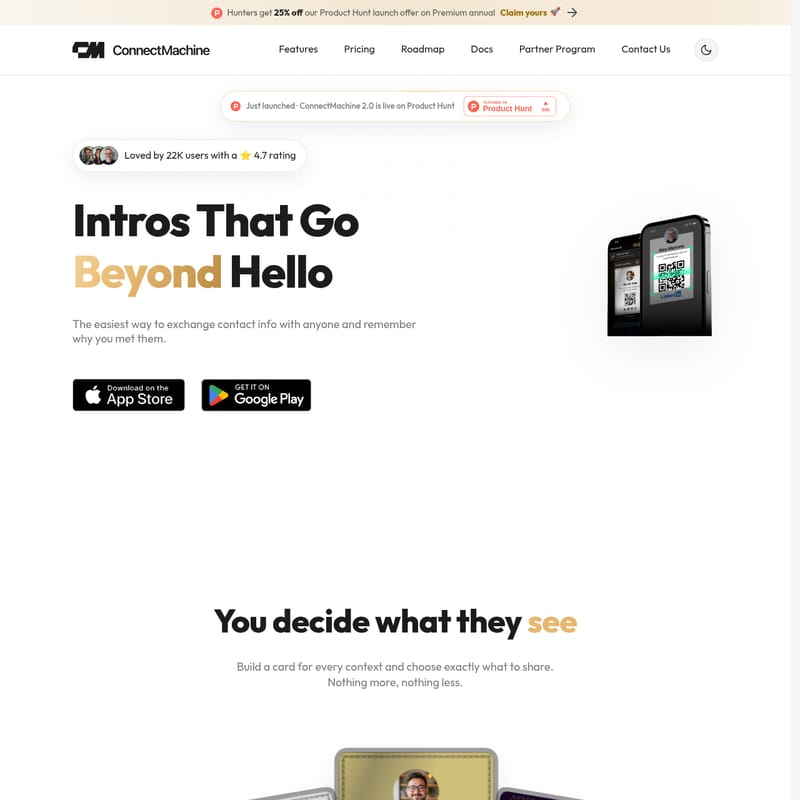
ConnectMachine 2.0 is a leading digital business card and AI-driven contact management platform designed for modern professionals. With features like high-accuracy OCR scanning, AI Notetakers, and a smart AI Concierge, ConnectMachine simplifies professional networking. Trusted by 22,000 users with a 4.7-star rating, it allows users to share contact info seamlessly via QR codes, manage multiple custom card profiles, and integrate directly with CRMs and digital wallets.
2026-07-12
2.0K
ConnectMachine 2.0 Product Information
ConnectMachine 2.0: The AI-Powered Digital Business Card and Networking System
In the fast-paced world of professional networking, first impressions are everything. ConnectMachine 2.0 has recently launched on Product Hunt, earning the prestigious title of #1 Product of the Day. This innovative platform is designed to go beyond the simple "hello," providing professionals with the easiest way to exchange contact information, manage relationships, and remember the crucial details of every meeting. With over 22,000 users and an impressive 4.7-star rating, ConnectMachine is transforming how authentic connections are built across the globe.
Currently, as part of the ConnectMachine launch celebration, hunters can claim a 25% discount on the Premium annual offer, making it the perfect time to upgrade your networking toolkit.
What's ConnectMachine?
ConnectMachine is much more than just a digital business card reader; it is a comprehensive contact management system powered by artificial intelligence. At its core, ConnectMachine allows you to build digital cards for every context—whether you are at a tech conference, a local meetup, or a high-stakes corporate meeting. You decide exactly what your contacts see, ensuring you share the right information with the right people, nothing more and nothing less.
Built for professionals who value efficiency, ConnectMachine eliminates the friction of traditional networking. It allows you to share your information with anyone, regardless of whether they have the app installed. By leveraging smart cards, AI notes, and real connections, ConnectMachine ensures that every interaction is captured, searchable, and actionable.
Features of ConnectMachine
ConnectMachine 2.0 is packed with cutting-edge features designed to streamline your workflow and enhance your networking capabilities:
- Smart Cards for Every Context: Create multiple digital business cards and customize them to fit specific professional situations. Choose which details to share and keep your personal and professional lives organized.
- Point. Snap. Saved. (AI OCR): The advanced ConnectMachine AI reads any physical business card and instantly converts it into a clean, searchable digital contact. The OCR (Optical Character Recognition) is highly accurate, saving you from manual data entry.
- AI Notetaker & Conversation Recording: Never forget the details of a conversation again. You can record conversations on the spot and attach them to specific contacts, allowing you to recall exactly what was discussed months later.
- AI Concierge: This feature acts as a real assistant. You can talk to your ConnectMachine AI Concierge to search through your contacts, manage your calendar, schedule meetings, and set reminders using simple natural language.
- App-Free Sharing: Recipients do not need to download an app or sign up for a service. They simply point their camera at your ConnectMachine QR code, and your info lands directly in their phone.
- Wallet Integration: Seamlessly add your digital business cards to Apple Wallet and Google Wallet for quick access.
- Netsend & WhatsApp Assistant: Utilize specialized tools like Netsend and a built-in WhatsApp Assistant to stay connected with your network on their preferred platforms.
- CRM & Webhooks Integration: For power users, ConnectMachine supports CRM integrations and webhooks, making it easy to export your new leads and contacts into your existing sales pipeline.
- Home Screen Widgets: Access your cards and networking tools instantly from your phone’s home screen.
How to Use ConnectMachine
Getting started with ConnectMachine is simple and designed to get you networking in minutes:
- Download the App: Start by downloading the ConnectMachine app on your device.
- Build Your Card: Sign up and follow the guided steps to create your first digital business card. You can customize the fields, branding, and layout.
- Share Your Info: When you meet someone, simply show them your QR code. They just point their camera—no download or signup required—and your information is saved to their phone.
- Scan Physical Cards: Use the AI scanner to take a photo of any physical card you receive. ConnectMachine will automatically extract the data and create a new contact.
- Record Notes: After the meeting, use the AI Notetaker to record a quick summary or voice note about the conversation to ensure you have a reference for follow-ups.
Use Case Scenarios
ConnectMachine is a versatile tool that fits a variety of professional needs:
- Conferences and Expos: Instead of carrying stacks of paper cards that often get lost or thrown away, use ConnectMachine to exchange digital profiles instantly. It’s an essential tool for business development professionals who need to manage hundreds of new contacts in a short time.
- Individual Professionals: Freelancers and entrepreneurs can use different cards for different services they offer, ensuring their branding is always relevant to the person they are meeting.
- Business Teams: Companies can use the Team Plan to manage seats from a single dashboard. Centralized billing, team analytics, and admin branding controls ensure that every employee represents the brand consistently.
- Daily Networking: From casual meetups to unexpected business opportunities at a coffee shop, ConnectMachine ensures you are always prepared to make a professional connection.
Pricing and Plans
ConnectMachine offers flexible pricing plans to suit individuals and large organizations alike:
For Individuals
- Free ($0 Forever): Includes basic access with up to 3 physical card scans, 4 digital cards, CSV export, Apple & Google Wallet integration, WhatsApp Assistant, Home screen widgets, and limited AI features.
- Individual ($5.99/month): Enhanced features for a better experience, including unlimited physical card scans, unlimited digital cards, CRM integration, full AI Notetaker access, AI Concierge, and Netsend. (Save 20% on yearly plans).
For Businesses
- Team ($5.99/seat/month): All Premium features included in the Individual plan, plus centralized billing, seat management, team analytics, custom domain support, admin branding controls, and priority support.
Customer Feedback and Impact
With an average rating of 4.8/5 from verified purchasers, ConnectMachine has made a significant impact on its users. Customers frequently praise the team's responsiveness, noting that ConnectMachine shipped 26 features in just two weeks based on user feedback.
"It's not just a card reader, it's a complete contact management system... the best deal of this year so far." — SumoBudha, AppSumo Review
Users have highlighted the accuracy of the OCR and the convenience of the AI-powered calendar integrations as game-changers for their daily workflows.
FAQ
How do I create my ConnectMachine card? Download the app, sign up, and follow the guided steps to build your first digital card.
How do I share my digital card with others? Simply show your QR code; others point their camera to save your info instantly without needing an app.
Can I save my card to Apple Wallet? Yes, ConnectMachine supports both Apple Wallet and Google Wallet integration.
Can I manage multiple cards or categories? Yes, you can build different cards for every context and choose exactly what information to share for each.
What happens when someone scans my QR code? Your contact information lands straight in their phone's contact list without them needing to sign up for anything.
How do I update information across all my connections? Updates can be managed within the app to ensure your network always has your current details.
Can I export my contact data? Yes, you can export contacts to CSV or integrate them directly with your CRM.
Do you offer a team plan? Yes, the Team plan offers a centralized dashboard for managing multiple users and branding.