ChatCut
ChatCut: The Ultimate AI Video Editor for Prompt-Based Creation and Automated Production
ChatCut is a revolutionary AI video editor that transforms video production through conversational editing. By acting as an AI video editing assistant, it allows users to simply describe their needs, and the AI agent executes the work. From removing filler words and finding highlights to generating AI motion graphics, royalty-free music, and B-roll visuals, ChatCut simplifies complex workflows. With advanced features like text-based editing, auto AI captions in over 100 languages, and seamless AI video generation, ChatCut is designed for creators who want expert-level results without the technical overhead of traditional editing software.
2026-07-12
--K
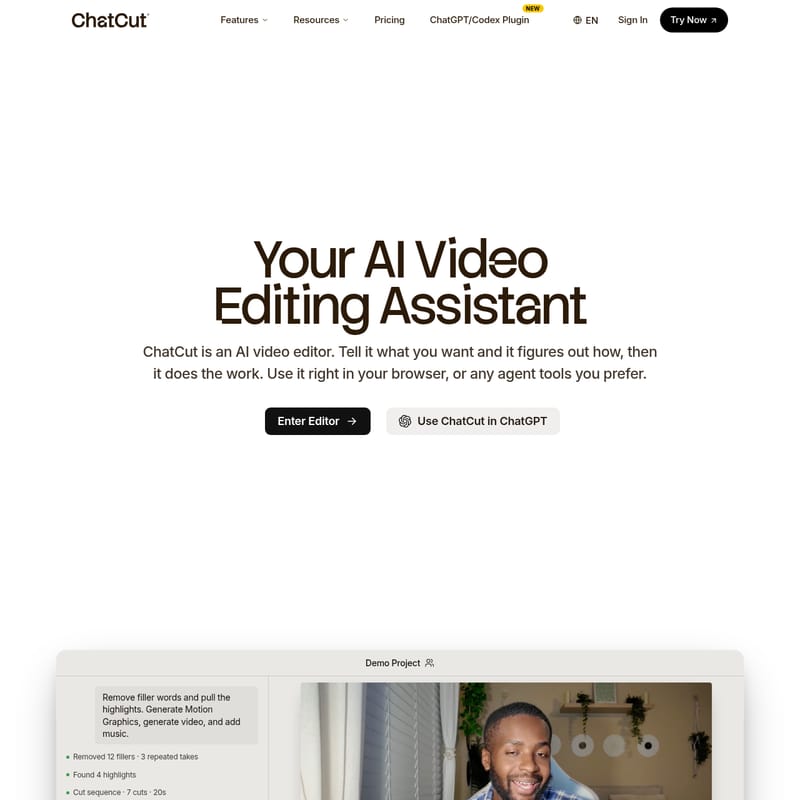
ChatCut Product Information
ChatCut: The Future of AI Video Editing and Prompt-Based Production
In the rapidly evolving landscape of digital content, the ChatCut AI video editor stands out as a transformative tool that redefines how we approach video production. ChatCut is not just another editing tool; it is a comprehensive AI video editing assistant that lives in your browser. By leveraging advanced artificial intelligence, ChatCut allows you to talk to your video project, telling the AI exactly what you want to achieve, while the system figures out the technical steps to make it a reality.
What is ChatCut?
ChatCut is an intelligent AI video editor designed to handle the heavy lifting of post-production through conversational interfaces and automated workflows. Unlike traditional software that requires manual cutting and keyframing, ChatCut uses an AI agent to watch your footage, understand the context of each clip, and organize them into a coherent sequence. It is built for efficiency, allowing creators to produce high-quality videos by simply providing prompts. Whether you are looking to create a first cut, generate B-roll, or add professional motion graphics, the ChatCut AI video editor serves as your expert editing partner.
Key Features of the ChatCut AI Video Editor
The power of ChatCut lies in its diverse suite of AI-driven tools that automate every step of the editing process.
1. Conversational Prompt-Based Editing
The core of the ChatCut AI video editor is its agent-driven editing. The AI agent analyzes your raw footage, identifies the best moments, and cuts out repeated takes or errors. Instead of applying a generic template, it builds a custom first cut based on your specific footage. You can simply prompt the tool with commands like "find the highlights and add B-roll to my video," and the ChatCut AI will process the request instantly.
2. Text-Based Video Editing
For creators focused on talking-head content, ChatCut offers a revolutionary text-based editing feature. You can edit your video as easily as editing a text document. By modifying the transcript—changing a word, cutting a sentence, or removing filler words like "um" and "uh"—the timeline automatically follows your changes. This eliminates the need for manual scrubbing through hours of footage.
3. AI Motion Graphics Generator
Gone are the days of needing complex software like After Effects for professional animations. The ChatCut AI motion graphics generator creates chapter cards, quick charts, timelines, and emphasis effects from plain English descriptions. By describing the animation you want, ChatCut builds it directly onto your timeline without the need for manual keyframing.
4. AI Video and Image Generation
If you are missing a specific shot or need B-roll that you couldn't film on set, the ChatCut AI video generator can fill the gaps. You can generate cinematic sequences or establishing shots straight from a prompt. Additionally, the ChatCut AI image generator allows you to create thumbnails, reference images, or cinematic portraits right inside your project.
5. Auto AI Captions in 100+ Languages
ChatCut simplifies accessibility and engagement with Auto AI Captions. Supporting over 100 languages, the tool generates accurate captions directly from your transcript. Users can choose from over 20 styles—including popular aesthetics like TikTok Pop, French Dispatch, and Noir Glass—to match the vibe of their brand.
6. Royalty-Free AI Music Generator
Finding the right track is effortless with the ChatCut AI music generator. Instead of searching through stock libraries, you describe the vibe (such as Cinematic, Lo-fi, or Electronic), and the AI creates a royalty-free track at the exact length required for your edit.
How to Use ChatCut
Using the ChatCut AI video editor is a straightforward process designed for both beginners and professionals:
- Enter the Editor: Open ChatCut in your web browser or use it through available agent tools like the ChatGPT/Codex Plugin.
- Upload Your Footage: Import your raw video clips into the project timeline.
- Prompt the AI Agent: Use the conversational interface to tell ChatCut what to do. For example, ask it to "Remove filler words and pull the highlights."
- Edit via Transcript: Review the generated transcript to clean up your dialogue. Delete text to remove the corresponding video segments automatically.
- Generate Assets: Use prompts to generate AI motion graphics, AI B-roll, or AI music to enhance the production value.
- Refine and Export: Once the AI has built your first cut and added effects, perform any final manual adjustments and export your video in your desired format.
ChatCut Use Cases
- Content Creators: Rapidly turn long-form recordings into tight, engaging videos for platforms like YouTube or TikTok using auto captions and highlight detection.
- Educators and Coaches: Use text-based editing to quickly clean up instructional videos and add AI motion graphics like timelines and charts to improve student comprehension.
- Social Media Marketers: Generate professional-grade B-roll and AI music for advertisements without the need for a high-budget film crew.
- Business Professionals: Quickly edit presentations or talking-head videos by removing fillers and adding clean, branded overlays.
FAQ
Q: What is ChatCut? A: ChatCut is an AI-powered video editor that uses conversational prompts to automate the editing process, from cutting highlights to generating visuals and music.
Q: How does conversational editing work? A: You provide instructions in plain English, and the ChatCut AI agent analyzes your footage to execute those commands, such as finding the best takes or organizing clips logically.
Q: Who is ChatCut for? A: It is designed for anyone who wants to produce professional videos quickly, including YouTubers, marketers, educators, and social media creators.
Q: Can I still edit manually? A: Yes. While the AI does the heavy lifting, you maintain full control and can perform manual edits as needed within the timeline.
Q: What's included in the free plan? A: The free plan includes basic editing and exports, starter credits, and the ability to try AI features like image generation, captions, music, and motion graphics without a credit card.
Q: How long does it take to get a cut? A: Thanks to the AI agent processing, ChatCut can generate a real first cut, including highlight identification and filler word removal, in a fraction of the time it takes for manual editing.