How to Crawl an Entire Documentation Site with Olostep: Transforming Web Data into AI-Ready Output
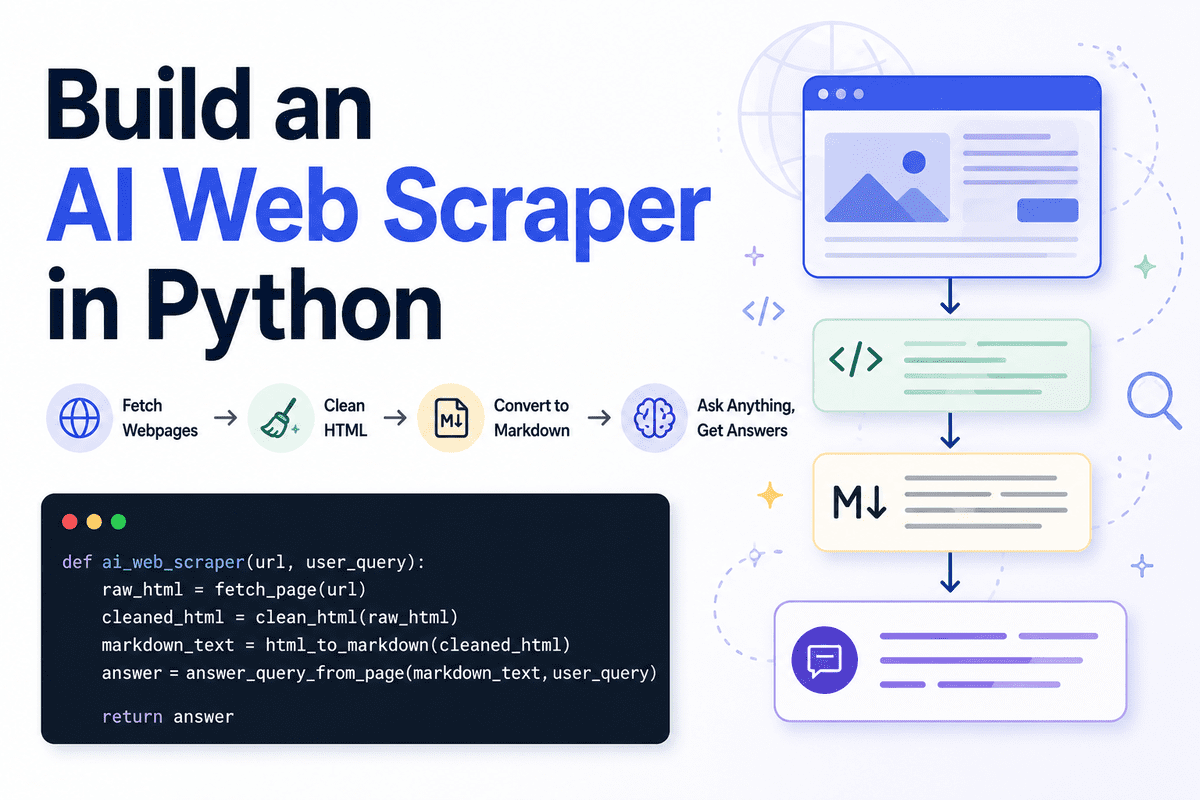
The latest technical guide from KDnuggets explores the capabilities of Olostep, a tool designed to automate the collection and structuring of documentation pages. By utilizing just a few lines of code, users can crawl entire documentation sites, ensuring the content is cleaned and formatted specifically for AI applications. This process simplifies the transition from raw website data to structured, AI-ready output, addressing a critical need for developers and data scientists who require high-quality datasets for training or fine-tuning models. The article highlights the efficiency of Olostep in handling complex documentation structures while maintaining data integrity, providing a streamlined workflow for modern AI development requirements.
Key Takeaways
- Automated Collection: Olostep enables the automatic crawling of entire documentation sites with minimal coding effort.
- Content Structuring: The tool focuses on cleaning and structuring raw website data into organized formats.
- AI-Ready Output: The primary goal is to transform web-based documentation into high-quality data suitable for AI integration.
- Efficiency: Users can achieve comprehensive site crawling using only a few lines of code.
In-Depth Analysis
Streamlining Documentation Crawling
According to the report by Abid Ali Awan, Olostep provides a specialized solution for the challenge of gathering information from extensive documentation sites. Traditional web scraping often requires complex configurations to navigate nested pages and maintain hierarchy. Olostep simplifies this by allowing users to automatically collect documentation pages through a streamlined programmatic approach. This automation is essential for developers who need to stay updated with rapidly changing software documentation or build comprehensive knowledge bases.
Data Cleaning and AI Integration
Beyond simple collection, the core value of Olostep lies in its ability to process raw HTML into structured content. The tool is designed to clean the gathered data, removing unnecessary web elements and focusing on the core information. This transformation is critical for creating AI-ready output. By providing structured data, Olostep ensures that the information can be directly utilized in AI workflows, such as feeding Large Language Models (LLMs) or building RAG (Retrieval-Augmented Generation) systems without extensive manual preprocessing.
Industry Impact
The ability to quickly convert documentation into structured data has significant implications for the AI industry. As the demand for specialized AI agents and custom models grows, the bottleneck often lies in data acquisition and preparation. Tools like Olostep reduce the technical barrier to entry for data collection, allowing teams to focus on model development rather than infrastructure. This efficiency accelerates the development cycle for AI-driven technical support, automated coding assistants, and internal knowledge management tools.
Frequently Asked Questions
Question: What is the primary function of Olostep in documentation management?
Olostep is designed to automatically crawl entire documentation sites, cleaning and structuring the content to turn it into AI-ready output using minimal code.
Question: How does Olostep assist in AI development?
It assists by transforming raw website data into a structured format that is ready for AI applications, ensuring that the data is clean and properly formatted for model consumption.
Question: Is extensive coding required to use Olostep for site crawling?
No, the process is designed to be efficient, allowing users to crawl and structure documentation pages with just a few lines of code.