theORQL
theORQL: Vision-Enabled AI Debugging Tool that Maps UI to Code and Auto-Fixes Runtime Errors
theORQL is a revolutionary vision-enabled frontend coding and debugging tool designed to eliminate the 'blindness' of generic AI. By observing the DOM, computed CSS, and runtime state, theORQL maps UI elements directly to their underlying code. It features a unique Auto Repro -> Fix loop that drives the browser to reproduce errors, injects targeted JS fixes, and verifies outcomes until the UI sticks. Seamlessly integrating with VS Code, Cursor, and Windsurf, theORQL captures console logs, network requests, and visual evidence to turn complex browser crashes and Vercel failures into reviewable diffs in minutes. It is purpose-built for modern JavaScript and TypeScript frontends like React and Next.js, streamlining the development workflow by reducing context switching between DevTools and the editor.
2026-03-02
1.0K
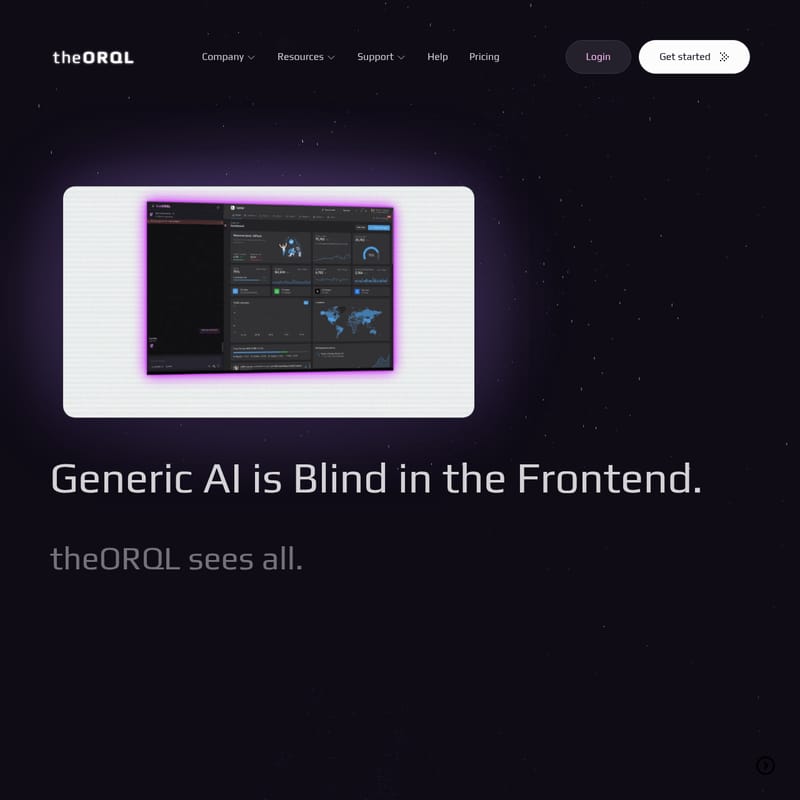
theORQL Product Information
theORQL: The Vision-Enabled Frontend Debugging Revolution
Generic AI is often blind in the frontend, guessing based on text alone. theORQL changes this by seeing exactly what you build. By mapping the DOM, CSS, and runtime state directly to your code, theORQL ensures that your UI fixes actually stick. Whether you are dealing with browser crashes, Vercel bombs, or silent state bugs, theORQL provides the runtime vision necessary to ship verified code faster.
What's theORQL?
theORQL is a specialized debugging and coding extension designed to surface all frontend runtime data. Unlike standard AI tools that only understand code as text, theORQL is "vision-enabled," meaning it observes what your application actually renders in the browser. It integrates your editor (VS Code, Cursor, Windsurf) with the browser runtime to eliminate context-switching.
By capturing stack traces, local variables, DOM states, and network signals, theORQL identifies the root cause of issues and automates the reproduction and fixing process. It is designed for modern JavaScript/TypeScript frontends running in Chrome, such as React, Next.js, and Vite-based applications.
Key Features of theORQL
1. Vision-Enabled Coding + Debugging
Most tools guess from your repository; theORQL observes. It analyzes the DOM, computed CSS, network requests, and console logs to map the UI to the specific owning component. This "vision" allows the AI to understand the visual and functional truth of your application.
2. Auto Repro -> Fix Loop
This is the core engine of theORQL. The tool:
- Captures & Reproduces: Grabs runtime evidence (console/network/DOM) and auto-scripts the exact reproduction via Chrome tools.
- Injects & Tests: Crafts targeted JS injections and re-runs the sequence to analyze results.
- Verifies & Iterates: It continues to pivot hypotheses and test fixes until the repro passes, providing you with a verified diff and a root-cause explainer.
3. Map UI to Code
Stop "spelunking" through files or complex wrappers. With theORQL, you can select a broken element in the UI and jump directly to the code that owns it.
4. Runtime Insights
theORQL sees the runtime truth where it lives. It captures:
- DOM and Computed CSS
- Console logs and Network requests
- App state and local variables
- Visual evidence via screenshots
5. Production Visibility in Dev
Browser crashes and CI failures are routed directly to your VS Code view. You no longer need to hunt through dashboards or manual DevTools logs to understand why a Vercel deployment failed.
How to Use theORQL
Using theORQL is simple and integrates directly into your existing development workflow:
- Launch your App: Feed theORQL your local host URL (e.g.,
http://localhost:3000). - Code and Debug: Work inside Chrome, while theORQL stays synced in real-time with your editor.
- Find and Fix Fast: Use the insights provided by the runtime vision to resolve bugs in minutes instead of hours.
Use Cases
- Debugging Silent Bugs: Fix issues where user input fails to update state without throwing explicit errors.
- Sustainability & Compliance: Tracing issues across complex UI and reporting workflows to ensure data accuracy.
- Education & Tutoring: Helping students visualize why code breaks by making the runtime state visible.
- Rapid UI Iteration: Reducing the time to fix broken elements from twenty minutes to two minutes.
- Eliminating Regressions: Using the Auto Repro loop to verify that layout, timing, and data changes behave correctly before shipping.
FAQ
What types of bugs does theORQL resolve? theORQL is best at debugging issues you can’t quickly reproduce: browser/runtime errors, UI state bugs, flaky regressions, and integration problems like API/network failures or auth issues.
What stacks does theORQL work best with? It is designed for modern JavaScript/TypeScript frontends running in Chrome, including React, Next.js, and other Vite/Webpack-based apps.
How is this different from GitHub Copilot or Cursor? Copilot and Cursor are text-in, text-out generators. theORQL is runtime-aware; it observes the running app in Chrome to verify fixes in-browser before producing a diff.
Does this run in production? No, theORQL is built for local development and dev-like environments (staging). It is not a production monitoring platform.
Will it slow down my development environment? No. Overhead is minimal and only occurs when the debugger is active, focusing specifically on runtime errors and targeted traces.
What data does theORQL capture? It captures stack traces, source locations, local variables, DOM state, URLs, network signals, and console logs leading up to an issue.