Straion
Straion: The Centralized AI Coding Agent Rule Engine for Claude Code, Cursor, and GitHub Copilot
Straion is a specialized AI coding agent management platform designed to enforce organizational standards across AI tools like Claude Code and Cursor. It solves the problem of AI agents producing off-brand or insecure code by centralizing architecture rules, security policies, and coding standards in a single hub. Through the Straion CLI and semantic matching, it automatically injects relevant context into AI prompts and validates task plans before code is written. This eliminates the need for scattered markdown files and manual course-correction, ensuring your AI development team ships enterprise-ready code at 10x speed while maintaining strict compliance with your engineering guidelines.
2026-02-24
0.8K
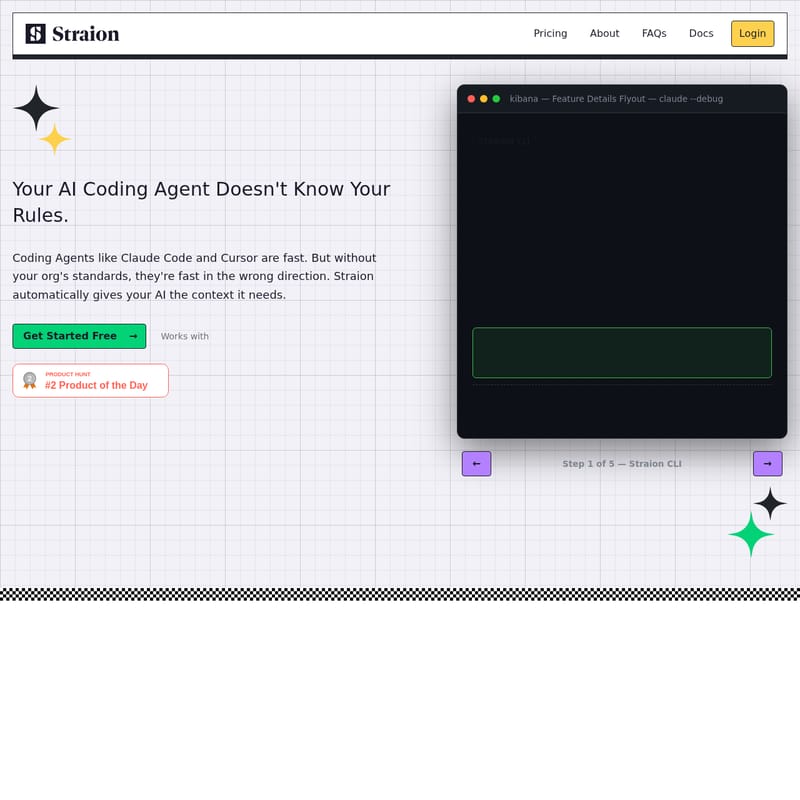
Straion Product Information
Straion: Keeping Your AI Coding Agent Aligned with Your Standards
In the rapidly evolving landscape of software development, AI coding agents like Claude Code and Cursor have become indispensable for speed. However, speed without direction often leads to technical debt. Most AI coding agents lack the specific context of your organization's unique rules, resulting in outputs that ignore security protocols or architectural patterns. Straion bridges this gap by providing a centralized engine to manage and enforce your engineering standards across all AI-driven workflows.
What's Straion?
Straion is a dedicated platform designed to centralize and automate the application of coding standards, security policies, and architectural rules for AI coding agents. Instead of relying on scattered .md files or manual prompting, Straion acts as a single source of truth. It allows engineering teams to define their requirements once and ensures that every AI coding agent used by the team—whether it be Claude Code, GitHub Copilot, or Cursor—automatically retrieves and follows those specific guidelines.
By using the Straion CLI, the platform uses semantic matching to identify which rules apply to a specific task. This prevents the "10x productivity gain" from being lost to constant manual course-correction and token-wasting errors.
Features of Straion
Centralized Rule Hub
Straion provides one source of truth for your entire organization. You can define security policies, architecture patterns, coding standards, and compliance rules in one accessible place. This eliminates the need for developers to hunt through wikis or manage fragmented .cursor/rules.md files across multiple repositories.
Dynamic Context Selection
Not every rule applies to every task. Straion automatically determines the relevant context—based on the team, project, domain, or tech stack—and serves only the necessary guidance to your AI coding agent. This ensures the AI stays focused and relevant without being overwhelmed by unnecessary data.
Task Plan Validation
Before your AI begins writing code and consuming tokens, Straion validates the proposed task plan against your rules. This "plan-stage" check allows you to catch violations and architectural missteps early, ensuring the generated code is right the first time.
Seamless Integration
Straion is built for modern workflows. It integrates with your existing tools in minutes. By installing the Straion CLI globally, you can add the Straion skill to your setup, making it immediately compatible with Claude Code, GitHub Copilot, and Cursor.
How to Use Straion
Getting started with Straion takes less than five minutes. Follow this simple process to align your AI coding agent with your standards:
- Define Your Rules: Import or create your engineering standards, security rules, and coding guidelines within the Straion dashboard.
- Install the Skill: Add the Straion skill to your Claude Code or Cursor setup. This establishes the connection between your local environment and your organization's rules.
- Automate Context: The Straion CLI dynamically fetches relevant rules. Your AI coding agent now has the full context of your standards before it writes a single line of code.
- Validate & Ship: Use Straion to validate the AI's task plan. Once the plan is confirmed to meet your standards, let the AI generate the code and ship with confidence.
Use Case: Scaling Engineering Standards
Consider a team of 50 developers all using AI coding agents. Without Straion, each developer must manually copy-paste standards into prompts or maintain local rule files that quickly become outdated. This leads to inconsistencies and security vulnerabilities.
With Straion, the lead architect updates a security policy in the Centralized Rule Hub. Instantly, every AI coding agent across the entire organization is aware of the change. New team members are onboarded immediately because their AI tools already "know" the company's architectural preferences. The result is a unified codebase and a 10x increase in shipping speed without sacrificing quality.
Comparison: Straion vs. Manual Rule Management
Without Straion
.cursor/rules.mdfiles scattered in every repo.CLAUDE.mdorAGENTS.mdfiles buried in nested folders.- Developers frequently copy-paste outdated standards.
- AI ignores rules it cannot find, leading to hours of manual review.
With Straion
- One central hub for all organizational rules.
- Rules are automatically selected based on task context.
- Standards are always current and strictly enforced.
- AI follows standards from the very first prompt, reducing token waste.
FAQ
Q: Which AI coding agents does Straion work with? A: Straion is designed to work with leading tools including Claude Code, GitHub Copilot, and Cursor.
Q: How long does it take to set up? A: You can set up Straion and start enforcing your coding standards in less than 5 minutes.
Q: Do I need a credit card to try it? A: No, you can get started for free without a credit card to see how Straion keeps your AI aligned.
Q: Can Straion catch errors before code is generated? A: Yes. One of Straion's core features is Task Plan Validation, which checks the AI's proposed approach against your rules before the coding process begins.
Q: How are rules delivered to the AI? A: The Straion CLI uses semantic matching to fetch and inject the right context and rules directly into the session with your AI coding agent.