QuickCompare by Trismik
Trismik: Compare 50+ LLMs on Your Data to Optimize AI Model Decisions
Trismik is a professional evaluation platform for developers to compare over 50 AI models using their own data. It eliminates guesswork in LLM selection by balancing performance, cost, and speed through features like Ziggy, the AI copilot, and QuickCompare analysis.
2026-04-28
3.0K
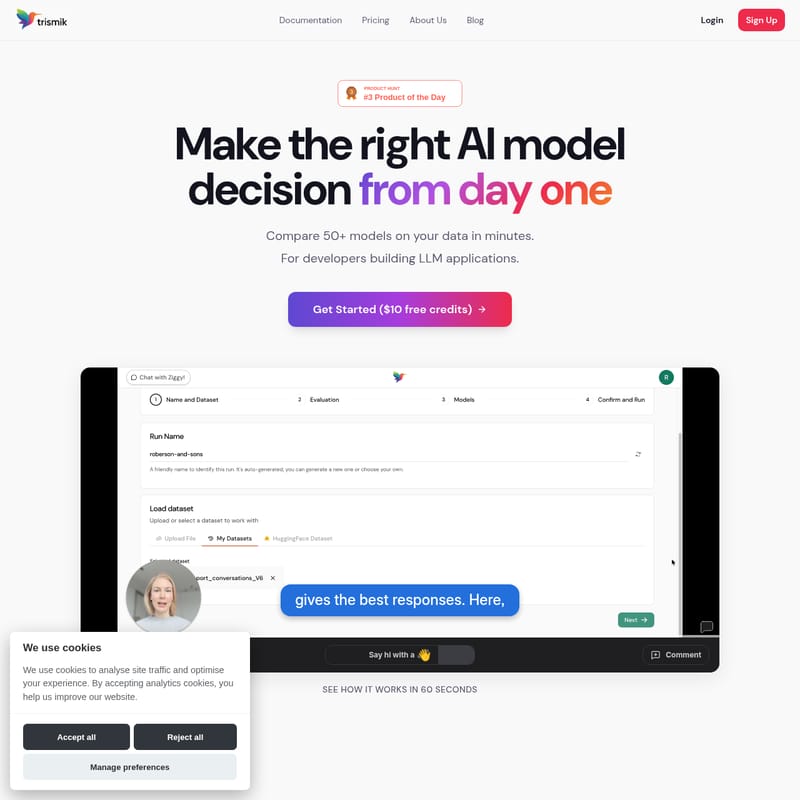
QuickCompare by Trismik Product Information
Trismik: Make the Right AI Model Decision from Day One
In the rapidly evolving world of artificial intelligence, selecting the perfect Large Language Model (LLM) for your application is often a complex, time-consuming process. Many developers find themselves stuck in a cycle of guesswork, relying on public leaderboards that don't necessarily reflect how a model will perform on their specific data. Trismik changes this paradigm by allowing you to compare 50+ models on your data in minutes, ensuring your AI model decision is backed by empirical evidence rather than "vibes."
Whether you are building a new LLM application or optimizing an existing one, Trismik provides the tools to balance quality, speed, and cost effectively. Supported by Cambridge and featured in major publications like Forbes, Fortune, and Business Weekly, Trismik is the go-to platform for AI teams who want to move from manual testing to production-ready decisions.
What's Trismik?
Trismik is a comprehensive evaluation platform designed specifically for developers building LLM applications. It addresses the common pain points of manual model comparison—such as managing complex scripts, notebooks, and one-off tests—by providing a centralized environment for multi-LLM testing.
At its core, Trismik is built on the philosophy that choosing an LLM shouldn't involve guesswork. While public benchmarks and leaderboards offer a general idea of model capabilities, they often miss the nuances of your unique use case. Trismik allows you to upload your own evaluation data and see exactly how different models handle your specific queries. This data-driven approach helps you avoid overspending on inference and prevents you from settling for default choices that may be expensive or inefficient.
Key Features of Trismik
Trismik offers a suite of advanced features that simplify the evaluation process and provide actionable insights into model performance.
Ziggy: Your AI Evaluation Copilot
Meet Ziggy, your dedicated AI evaluation copilot. Ziggy is designed to help you go from initial setup to actionable results without requiring deep expertise in evaluation metrics.
- No eval expertise required: Ziggy guides you through the process.
- Refine prompts with guidance: Get help improving your prompts to get the most out of every model.
- Understand results without digging: Ziggy interprets complex data so you can focus on building.
QuickCompare: Your Starting Point
QuickCompare is the engine that drives your initial model analysis. It analyses your evaluation data and recommends the best model for your specific task.
- Works with your evaluation data: Easily import datasets from Hugging Face, or upload files in CSV or JSON format.
- Minimal setup: You can upload your data and start comparing in minutes.
- Production-ready decisions: Receive actionable insights that you can trust for your live applications.
Multi-Vector Optimization
Trismik understands that every project has different priorities. The platform allows you to optimize your model selection based on what matters most to you:
- Quality: Prioritize high performance for high-risk or user-facing tasks where accuracy is paramount.
- Speed: Optimize for real-time applications where low latency is critical.
- Cost: Control your inference spend without sacrificing necessary quality.
- Balance: Find the perfect middle ground when you need to navigate difficult trade-offs.
Query Difficulty Analysis
One of Trismik's most powerful capabilities is its ability to categorize your queries by difficulty (Easy, Medium, and Hard).
- Find where cheaper models perform: If a large portion of your queries are "Easy," you don't need to use the most expensive model for everything.
- Identify model struggle points: Real differences between models appear on harder queries. Trismik helps you identify where cost and quality diverge, allowing you to use stronger models—or even human intervention—only where it is truly needed.
Use Case for Trismik
Trismik is utilized by AI engineers and software developers to streamline their workflow and improve the efficiency of their LLM applications. Common use cases include:
- Cost Optimization: An AI engineer might use Trismik to discover that a cheaper, smaller model performs just as well as a flagship model for 70% of their user queries, significantly reducing inference costs.
- Performance Benchmarking: Before moving a feature to production, a team can run their specific dataset through 50+ models to ensure they are using the highest-quality LLM for their specific domain.
- Prompt Engineering: Developers use Ziggy to refine prompts across multiple models simultaneously to find the most robust phrasing for their application.
- Rapid Prototyping: By avoiding manual scripts and notebooks, teams can test new models as soon as they are released to see if they offer an immediate upgrade over their current stack.
How to Use Trismik
Getting started with Trismik is designed to be fast and intuitive, allowing you to go from data to decisions in a matter of minutes.
- Sign Up and Get Credits: Sign Up to receive $10 in free credits to start your evaluation.
- Upload Your Data: Provide your evaluation data using Hugging Face datasets, or upload your own CSV or JSON files.
- Set Up Your Comparison: Choose the models you wish to compare from the list of over 50 supported LLMs.
- Leverage Ziggy: Use the AI copilot to refine your prompts and set up your evaluation parameters without needing to be an expert in evals.
- Run QuickCompare: Execute the analysis to see how models perform side-by-side on your specific data.
- Analyze Difficulty: Review the difficulty distribution of your queries to identify where you can save money by using smaller models.
- Make Your Decision: Use the insights provided to choose the best model for production based on quality, speed, and cost.
FAQ
Q: How many models can I compare on Trismik? A: You can compare over 50 different models to find the one that best fits your specific needs.
Q: What data formats does Trismik support? A: Trismik supports Hugging Face datasets, as well as standard CSV and JSON file uploads.
Q: Do I need to be an evaluation expert to use the platform? A: No. With Ziggy, our AI evaluation copilot, you get the guidance needed to refine prompts and understand results without any prior evaluation expertise.
Q: Is there a cost to start using Trismik? A: You can Get Started with $10 in free credits to test the platform and see how it works for your data.
Q: How does Trismik help with inference costs? A: By identifying "Easy" queries where cheaper models perform just as well as expensive ones, Trismik helps you avoid overspending on inference by selecting the most cost-effective model for each task.
Join AI teams at companies featured in Forbes and Fortune. Stop relying on vibes and start making model decisions based on real data.