Venn.ai
Venn for OpenClaw: Securely Connect AI to Your Business Apps with Full Control and Guardrails
Venn for OpenClaw is a powerful integration platform that allows you to put AI to work inside your professional applications without sacrificing security. By linking leading AI models like OpenClaw ChatGPT, Claude, Cursor, and VS Code to your existing tech stack, Venn enables you to automate complex tasks while maintaining strict guardrails. Whether you are managing marketing campaigns, sales leads, or financial records, Venn for OpenClaw provides the permissions layer needed to ensure AI only reads and writes exactly what you permit. With support for dozens of integrations including Salesforce, Slack, and Google Workspace, Venn streamlines workflows by allowing users to trigger cross-app actions directly through natural language prompts. Experience better results and higher productivity by giving your AI the context it needs to understand your business, all while keeping your data safe through activity logs and granular permission settings.
2026-03-28
--K
Venn.ai Product Information
Venn for OpenClaw: Put AI to Work Inside Your Business Apps
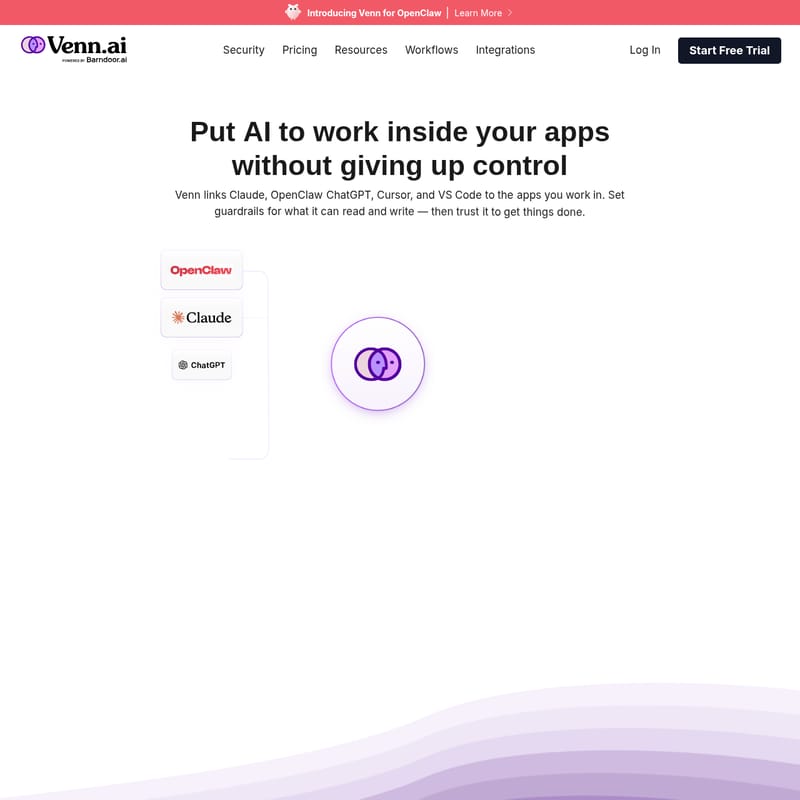
In the rapidly evolving landscape of artificial intelligence, the biggest challenge for many organizations is balancing productivity with security. Venn for OpenClaw bridges this gap, allowing you to put AI to work inside your apps without giving up control. By using Venn for OpenClaw, you can link powerful tools like OpenClaw ChatGPT, Claude, Cursor, and VS Code directly to the applications you use every day, ensuring your AI has the context it needs to be truly effective.
What's Venn for OpenClaw?
Venn for OpenClaw is a secure integration layer designed to connect your favorite AI models to your business ecosystem. It acts as a bridge between AI agents and professional software, providing the necessary guardrails for what the AI can read and write. With Venn for OpenClaw, you can safely connect any AI to your business apps and get more done with full control.
Instead of copy-pasting data between tabs, Venn for OpenClaw allows the AI to understand your business, your tools, and your work directly. This results in better, more accurate answers and the ability to take actions across multiple systems with less effort. Whether you are using OpenClaw ChatGPT or developer tools like VS Code, Venn for OpenClaw ensures your app permissions carry over, so you never have to reconfigure access for each individual tool.
Key Features of Venn for OpenClaw
Comprehensive Integration Ecosystem
Venn for OpenClaw works with all the apps you use most, including:
- Communication: Slack, Gmail, Zoom.
- Productivity: Google Drive, Google Docs, Google Sheets, Google Calendar, Notion.
- Sales & Marketing: Salesforce, HubSpot, Shopify.
- Development: GitHub, GitLab, Jira.
- Finance: QuickBooks Online, Stripe, Xero.
Granular Permission Guardrails
Safety is at the core of Venn for OpenClaw. You can decide exactly what your AI can read or write in each specific app. For example, you can grant read access to Gmail drafts while restricting the AI's ability to send emails without your approval. Once you set these permissions in Venn for OpenClaw, they apply across all your connected AI apps.
Activity Monitoring and Transparency
Stay in the loop with detailed activity logs. Venn for OpenClaw tracks every action the AI takes across your apps based on your predefined rules, giving you a clear audit trail of what was accessed and modified.
Universal URL Integration
Adding Venn for OpenClaw to your preferred AI is seamless. With a universal URL, you can connect your business data to your AI interface in just a few clicks.
How to Use Venn for OpenClaw
Getting started with Venn for OpenClaw is designed to be a quick and intuitive process. Follow these steps to automate your workflow:
- Connect Your Apps: Authenticate your business tools (like Salesforce, Slack, or Google Drive) once through the Venn for OpenClaw platform.
- Set Your Permissions: Define the specific "read" and "write" capabilities for your AI agent. For instance, you might allow it to find and list labels in Gmail but require an upgrade for more advanced automated writing tasks.
- Add Venn to Your AI: Use the provided universal URL to link Venn for OpenClaw to your AI tool, such as OpenClaw ChatGPT or Claude.
- Run Your First Workflow: Start your prompt with a simple command like "Hey Venn..." followed by instructions on the task you want to complete.
- Monitor Activity: Review your activity logs to see exactly what actions the AI performed across your integrated applications.
Use Cases for Venn for OpenClaw
Venn for OpenClaw empowers teams across various departments to achieve more in less time:
- Sales: Automatically log call notes from Notion into Salesforce and schedule follow-up meetings in Google Calendar.
- Customer Success: Match open Zendesk bug reports to Jira tickets in the current sprint and provide a summarized report.
- Marketing: Pull leads from recent campaigns and post the MQL (Marketing Qualified Lead) vs. SQL (Sales Qualified Lead) counts directly to a Slack channel.
- Operations & Finance: Pull the current month’s customer invoices and vendor bills to append them automatically to a cash tracking sheet in Google Sheets.
- Product Management: Read posts in feedback channels and create Jira tickets in the backlog for feature requests or bugs.
FAQ about Venn for OpenClaw
Q: Is Venn for OpenClaw secure? A: Yes. Venn for OpenClaw is built with security as a priority. You maintain full control over data access, and all AI actions are recorded in activity logs for your review.
Q: Do I need to set permissions for every AI I use? A: No. One of the primary benefits of Venn for OpenClaw is that you set permissions once, and they carry over to any AI app you connect.
Q: What is the difference between the Basic and Pro plans? A: The Basic plan is free and allows up to 5 read-only connectors and 25,000 actions. The Pro plan ($5/mo) offers unlimited connectors, unlimited actions, both read and write capabilities, and full activity logs.
Q: Which AI models are compatible? A: Venn for OpenClaw links with OpenClaw ChatGPT, Claude, Cursor, and VS Code, among others.
Venn for OpenClaw allows you to get real work done by connecting AI to the apps where your business lives. Start your free trial today and see what Venn for OpenClaw can do for you.