
traceAI
traceAI: Open-Source OpenTelemetry Observability for AI Applications and LLM Frameworks
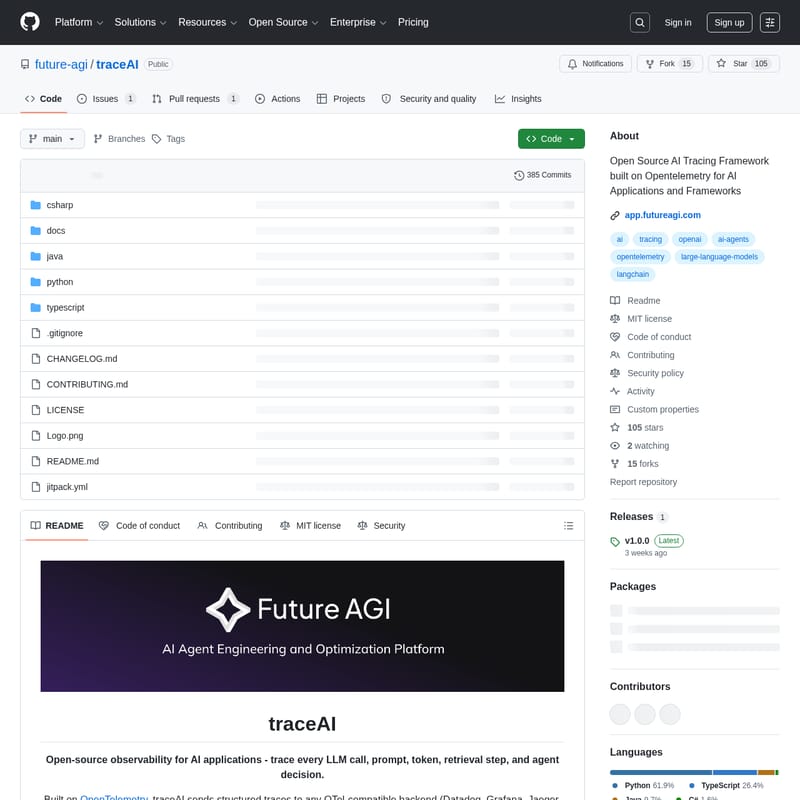
traceAI is an open-source observability library designed for AI applications, built on the industry-standard OpenTelemetry. It provides full visibility into AI workflows by tracing every LLM call, prompt, token, retrieval step, and agent decision. By leveraging OpenTelemetry semantic conventions, traceAI allows developers to send structured traces to any OTel-compatible backend like Datadog, Grafana, or Jaeger without needing new vendors or dashboards. Supporting over 50 frameworks across Python, TypeScript, Java, and C#, traceAI offers zero-config instrumentation for popular tools like OpenAI, LangChain, and LlamaIndex. It captures rich telemetry including prompt/completion content, token usage, model parameters, and tool calls, making it a production-ready solution for monitoring complex AI agents and vector database interactions.
2026-04-03
615200.0K
traceAI Product Information
traceAI: The Open-Source Observability Standard for AI Applications
In the rapidly evolving landscape of artificial intelligence, understanding the inner workings of your models and agents is critical. traceAI is a comprehensive, open-source observability framework designed specifically for AI applications. Built on top of OpenTelemetry (OTel), traceAI provides developers with the tools to trace every LLM call, prompt, token usage, retrieval step, and agent decision in real-time.
What's traceAI?
traceAI is an open-source library that offers full visibility into the lifecycle of AI-driven software. It functions by capturing detailed data from AI workflows and converting them into structured traces. Because it is OpenTelemetry-native, traceAI integrates seamlessly with your existing observability stack. Whether you use Datadog, Grafana, Jaeger, or Future AGI, traceAI sends data to any OTel-compatible backend, ensuring you don't need a new vendor or a separate dashboard to monitor your AI performance.
Key Features of traceAI
- Standardized Tracing: traceAI maps complex AI workflows to consistent OpenTelemetry spans and attributes.
- Zero-Config Setup: Enjoy drop-in instrumentation that requires minimal code changes to start monitoring.
- Multi-Framework Support: Integration with over 50 AI frameworks across Python, TypeScript, Java, and C#.
- Vendor Agnostic: Works with any OpenTelemetry-compatible backend, avoiding vendor lock-in.
- Rich Context Capture: Automatically records prompts, completions, token counts, model parameters (like temperature and top_p), and tool calls.
- Production Ready: Optimized for performance with asynchronous support, streaming delta tracking, and robust error handling.
- Semantic Conventions: Follows industry standards for GenAI, including specific conventions for vector databases and agentic steps.
Supported Frameworks and Languages
traceAI provides broad compatibility across the AI ecosystem:
1. Python
Supports providers like OpenAI, Anthropic, Google Vertex AI, Bedrock, and Mistral. It also instruments agent frameworks such as LangChain, LlamaIndex, CrewAI, and AutoGen, as well as vector databases like Pinecone and ChromaDB.
2. TypeScript
Includes packages for the Vercel AI SDK, LangChain.js, and OpenAI Agents, along with major LLM providers and vector search tools.
3. Java
Available via JitPack, supporting LangChain4j, Spring AI, and Microsoft Semantic Kernel.
4. C#
Available on NuGet via the core instrumentation library for .NET environments.
How to Use traceAI
Setting up traceAI is designed to be simple and developer-friendly across all supported languages.
Python Quickstart
- Install the package:
pip install traceai-openai - Instrument your code:
import os
from fi_instrumentation import register
from fi_instrumentation.fi_types import ProjectType
from traceai_openai import OpenAIInstrumentor
import openai

# Register tracer provider
trace_provider = register(
    project_type=ProjectType.OBSERVE,
    project_name="my_ai_app"
)

# Instrument OpenAI
OpenAIInstrumentor().instrument(tracer_provider=trace_provider)

# Use OpenAI as normal
response = openai.chat.completions.create(
    model="gpt-4.1",
    messages=[{"role": "user", "content": "Hello!"}]
)
TypeScript Quickstart
- Install dependencies:
npm install @traceai/openai @traceai/fi-core - Register instrumentation:
import { register, ProjectType } from "@traceai/fi-core";
import { OpenAIInstrumentation } from "@traceai/openai";
import { registerInstrumentations } from "@opentelemetry/instrumentation";

const tracerProvider = register({
  projectName: "my_ai_app",
  projectType: ProjectType.OBSERVE,
});

registerInstrumentations({
  tracerProvider,
  instrumentations: [new OpenAIInstrumentation()],
});
Use Case Scenarios
Debug Complex Agents: Trace the decision-making process of autonomous agents (like CrewAI or AutoGen) to see exactly how they use tools and respond to prompts.
Cost & Performance Monitoring: Track token usage across different models (OpenAI, Anthropic, etc.) to optimize costs and monitor latency in production environments.
RAG Pipeline Optimization: Trace retrieval steps in Vector Databases such as Pinecone, Weaviate, or Milvus to identify bottlenecks in Retrieval-Augmented Generation workflows.
FAQ
Q: Does traceAI require a specific dashboard? A: No. traceAI is built on OpenTelemetry, meaning it can send data to any OTel-compatible backend you already use, such as Grafana or Datadog.
Q: What data does traceAI capture? A: It captures full prompts and completions, token counts (input/output), model parameters, tool/function call arguments, and detailed error stack traces.
Q: Is there a performance overhead? A: traceAI is production-ready and performance-optimized, featuring asynchronous support to ensure minimal impact on application latency.
Q: How do I contribute to traceAI? A: You can fork the repository on GitHub, create a feature branch, and submit a Pull Request. We welcome contributions for new framework integrations and bug fixes.







