Paper Animator Art
Paper Animator Art - Turn Images into Paper Animation
Paper Animator Art transforms static images into paper animations with torn-edge effects, natural shadows, and exportable formats. Use AI-powered background removal and create stunning animations with ease.
2025-12-28
--K
Paper Animator Art Product Information
Paper Animator Art
What's Paper Animator Art
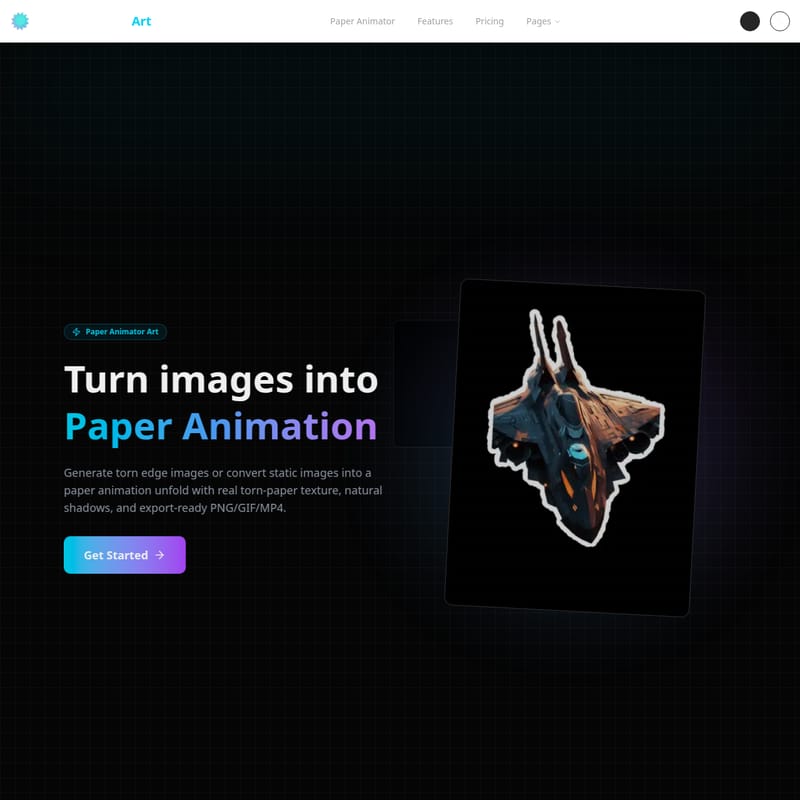
Paper Animator Art is a powerful tool that allows you to turn static images into dynamic paper animations. With just a few clicks, you can transform any image into a torn-edge paper animation complete with realistic shadows and texture. The process is quick, with the ability to export animations in PNG, GIF, and MP4 formats. This tool is perfect for creators, marketers, and designers looking to add a unique, handcrafted touch to their visuals.
Features
Smart Torn Edge Effect
- Automatic AI Recognition: Paper Animator uses AI to automatically detect the main elements of your image and applies organic torn-edge effects. This creates a natural, handcrafted look for your paper animations.
Paper Unfold Animation
- Crumpled Paper Effect: Paper Animator simulates the unfolding of a crumpled sheet of paper, bringing depth and a stop-motion animation feel to your image. This effect gives your visuals a sense of movement and texture, perfect for storytelling.
Background Removal
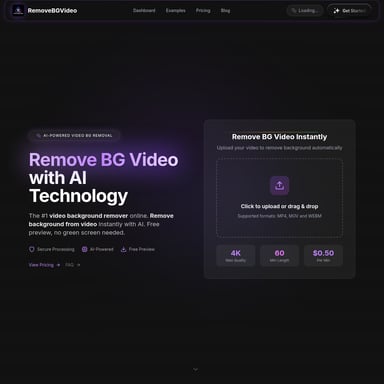
- AI-Powered Background Removal: Say goodbye to manual cut-out work. Paper Animator’s AI technology removes the background in seconds, making the process faster and more efficient. Simply upload your image, and the background is automatically removed, ready for animation.
Supported Formats
- File Formats: PNG, JPG, JPEG, WEBP
- Max File Size: 10MB
Use Case
Paper Animator Art is ideal for various creative applications:
- Social Media Content: Enhance your posts with interactive paper animations that stand out in crowded feeds.
- Website Design: Use paper animations to add a dynamic, tactile feel to your website’s visuals.
- Marketing: Make your advertising campaigns more engaging with eye-catching animations that drive higher click-through rates.
- Presentations: Bring presentations to life with paper animations that captivate and inform your audience.
FAQ
Q: What types of images can I upload to Paper Animator Art? A: You can upload PNG, JPG, JPEG, and WEBP image formats. The maximum file size is 10MB.
Q: Can I remove the background from my images? A: Yes, Paper Animator Art features AI-powered background removal, which allows you to quickly eliminate the background without manual cut-out.
Q: What kind of output formats are available for the animations? A: You can export your paper animations as PNG, GIF, or MP4 files.
Q: How long does it take to turn my image into a paper animation? A: The process is quick, usually taking just a few seconds to transform your image into a paper animation.
Q: Is there a trial or demo version available? A: You can try Paper Animator Art for free with limited functionality before committing to any purchase. Check the website for more details.
How to Use Paper Animator Art
- Upload Your Image: Simply click or drag and drop your image onto the Paper Animator interface. Supported formats include PNG, JPG, JPEG, and WEBP.
- Remove the Background: Use the AI-powered tool to automatically remove the background from your image in seconds.
- Apply Paper Animation Effects: Choose the torn edge and unfold animation effects to transform your image into a dynamic paper animation.
- Export Your Animation: Once you're satisfied with the result, export your animation in PNG, GIF, or MP4 format.
For more help, you can always reach out to our support team at [email protected].