Nex favicon

Nex

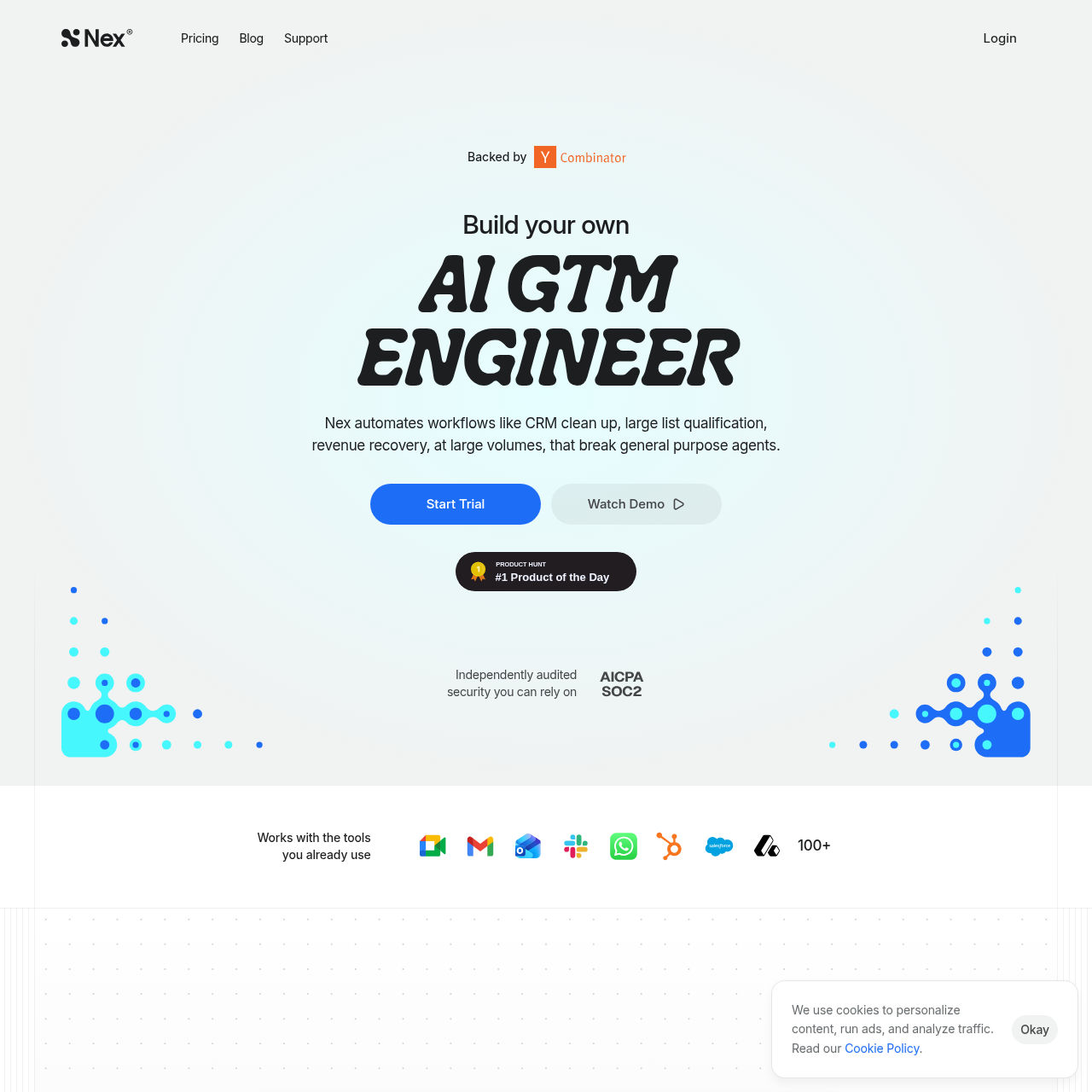
Nex is an AI GTM engineer that automates complex revenue workflows, from CRM hygiene to lead scoring, by synthesizing data across a company's entire software stack.

Sales & MarketingAutomates the identification and…Drafts personalized re-engagement emailsDetects inactivity in active deals…Scores inbound leads by analyzing…
Nex product interface screenshot
Estimated monthly visits
25K
Data period:
Listed on AIToolly

What Is Nex? Product Overview

What the product does and how it is positioned

Nex functions as an autonomous agent layer for go-to-market teams, connecting fragmented tools like HubSpot, Slack, and Gmail into a unified knowledge graph. It identifies patterns in deal stages and follow-up cadences to automate repetitive tasks that typically require manual intervention.

The platform is designed to handle high-volume workflows that often break general-purpose agents, such as large-scale list qualification and revenue recovery. By mapping existing business context and undocumented playbooks, Nex deploys agents that aim to become more efficient over time.

What Can You Use Nex For?

Source-supported ways to use the product

Closed-Lost Re-engagement

The system scans the CRM for cold contacts and drafts personalized reconnection emails based on past deal history and recent company changes.

CRM Data Hygiene

Nex audits records for data quality issues, identifying duplicates and missing fields to propose corrective updates for user approval.

Proactive Deal Monitoring

The tool monitors Slack, email, and calendars to detect when active deals have gone dark, flagging them for immediate follow-up.

How to Use Nex

The documented workflow, where available

  1. 1

    Connect

    Link existing GTM tools such as HubSpot, Gmail, Slack, and Calendar to the Nex platform.

  2. 2

    Detect

    The system maps team patterns, including deal stages, follow-up cadences, and escalation triggers.

  3. 3

    Deploy

    Personalized agents are automatically generated to run autonomous workflows based on the identified business context.

Unified Knowledge Graph and Entity Briefs

Nex is designed for contexts involving fragmented data by aggregating signals from various tools into a single knowledge graph. This architecture allows agents to access live entity briefs that provide a comprehensive view of every contact and company across the entire tech stack.

By synthesizing data from CRM records, email threads, and messaging platforms, the system is designed so that every automated action is grounded in real-time relationship context. This is intended to reduce agents from operating in silos and allows for more sophisticated decision-making in GTM workflows.

  • Synthesizes signals across CRM, email, and messaging platforms.
  • Provides agents with real-time context for autonomous decision-making.
  • Eliminates the need for manual cross-referencing between different software systems.

What to Test Before Choosing Nex

Checks to run with your own material and workflow

  • Confirm the availability of the Annex Browser for your specific operating system.
  • Verify that your primary CRM and communication tools are among the supported integrations.
  • Check if the automated email drafting features meet your requirements for human-in-the-loop approval.
  • Review the security documentation to ensure compliance with internal data handling policies.
  • Evaluate the lead scoring templates against your existing closed-won data patterns.

Nex Sources and Last Checked

What was checked and when

Official source
https://nex.ai/
Last checked

Nex Frequently Asked Questions

Answers based on the source-checked product record

Which CRM platforms does Nex support?

Nex explicitly supports HubSpot and integrates with over 100 other tools commonly used in go-to-market stacks.

Does Nex send emails automatically without user intervention?

No, the system drafts reconnection emails and follow-ups, but they require human approval before being sent.

How does Nex handle data security?

The platform features independently audited security and provides a Data Processing Agreement (DPA) for enterprise compliance.

Can Nex help with lead qualification?

Yes, it scores inbound leads based on actual closed-won patterns rather than generic marketing criteria.

What operating systems support the Annex Browser?

The Annex Browser is currently available for macOS, with Windows and Linux versions listed as coming soon.

Explore other recently added tools in the same category.