JungleMail Internal Newsletter Software
Enovapoint SharePoint Solutions and Web Parts for Enhanced Enterprise Collaboration
Enovapoint specializes in professional SharePoint web parts and add-ins designed to optimize business processes, improve data visualization, and streamline team collaboration within the Microsoft ecosystem.
2026-01-28
--K
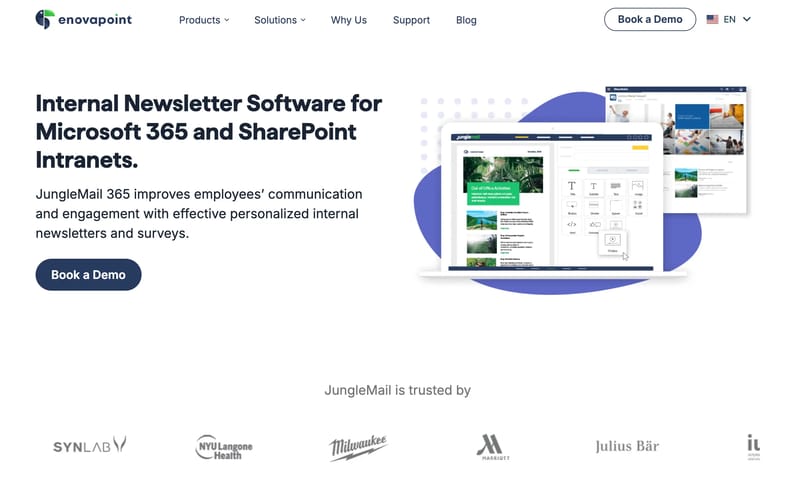
JungleMail Internal Newsletter Software Product Information
Optimizing Microsoft SharePoint with Enovapoint Solutions
In the modern digital workplace, efficiency and data clarity are paramount. Enovapoint stands at the forefront of providing high-quality software solutions specifically engineered to enhance the Microsoft SharePoint experience. By integrating Enovapoint tools into your organizational workflow, you can transform standard site collections into powerful, interactive business hubs.
What's Enovapoint?
Enovapoint is a dedicated software provider that focuses on creating advanced web parts and extensions for Microsoft SharePoint. The primary goal of Enovapoint is to bridge the gap between standard SharePoint functionality and the complex requirements of modern enterprises.
Whether your organization utilizes SharePoint On-Premises or SharePoint Online, Enovapoint offers a suite of tools designed to improve how users interact with data, manage projects, and communicate internally. From color-coded calendars to advanced data filtering, Enovapoint products are built to be intuitive, reliable, and highly customizable.
Key Features of Enovapoint Products
Every Enovapoint solution is crafted with the end-user in mind, ensuring that even complex data sets become easy to navigate. Here are some of the standout features found across the Enovapoint product line:
Advanced Data Visualization
Enovapoint tools allow users to visualize SharePoint lists and libraries in ways that are not possible with out-of-the-box settings. This includes sophisticated charting, color-coding based on metadata, and interactive dashboards.
User-Friendly Interface
One of the hallmarks of Enovapoint is the focus on UX/UI design. The interfaces are streamlined to ensure that administrators can configure settings quickly without deep technical expertise, while employees enjoy a seamless browsing experience.
Cross-Site Data Aggregation
Enovapoint enables the aggregation of data from multiple SharePoint sites into a single, unified view. This eliminates the need for users to jump between different tabs or sites to find the information they need.
Customization and Flexibility
Recognizing that every business is unique, Enovapoint provides extensive customization options. Users can modify layouts, apply custom CSS, and set specific permissions to ensure the software aligns perfectly with corporate branding and security protocols.
Seamless Integration
Because Enovapoint solutions are built specifically for the Microsoft ecosystem, they integrate natively with SharePoint. This ensures high performance, security compliance, and a consistent look and feel with the rest of your Office 365 environment.
Use Case Scenarios for Enovapoint
Implementing Enovapoint can solve various organizational challenges. Below are common use cases where Enovapoint excels:
Project Management
Project managers use Enovapoint to create comprehensive project dashboards. By utilizing the advanced calendar and task list features, teams can track deadlines, resource allocation, and milestone progress in real-time across multiple projects.
Corporate Internal Communication
HR departments leverage Enovapoint to build engaging intranets. By using specialized web parts for news, employee directories, and event calendars, organizations can ensure that every team member stays informed and connected.
Inventory and Resource Tracking
For businesses managing physical assets or shared resources, Enovapoint provides the tools to create visual tracking systems. Color-coded status indicators allow staff to see at a glance what resources are available or currently in use.
Financial Reporting and Analytics
By aggregating financial data stored in SharePoint lists, Enovapoint helps financial officers generate visual reports and trend analyses directly within their SharePoint portal, facilitating faster decision-making.
FAQ: Common Questions About Enovapoint
Q: Does Enovapoint support SharePoint Online? A: Yes, Enovapoint provides solutions compatible with both SharePoint Online (Office 365) and various versions of SharePoint On-Premises.
Q: Are Enovapoint products difficult to install? A: No, Enovapoint products are designed for easy installation and deployment. Most web parts can be added and configured within minutes by a site administrator.
Q: Can I customize the appearance of Enovapoint web parts? A: Absolutely. Enovapoint offers significant styling options, including the ability to match your organization's specific color schemes and branding requirements.
Q: Is there technical support available for Enovapoint users? A: Yes, Enovapoint provides professional technical support to assist with installation, configuration, and troubleshooting to ensure your team gets the most out of their software.
Why Choose Enovapoint for Your Organization?
Choosing Enovapoint means investing in the productivity of your workforce. By enhancing the native capabilities of SharePoint, Enovapoint reduces the time spent on manual data entry and navigation, allowing your team to focus on high-value tasks. The robust architecture of Enovapoint software ensures that as your data grows, your SharePoint environment remains fast, organized, and professional.