Gemini AI Photo Editor
Gemini AI Photo Editor: Transform Photos into Art with Advanced AI Tools
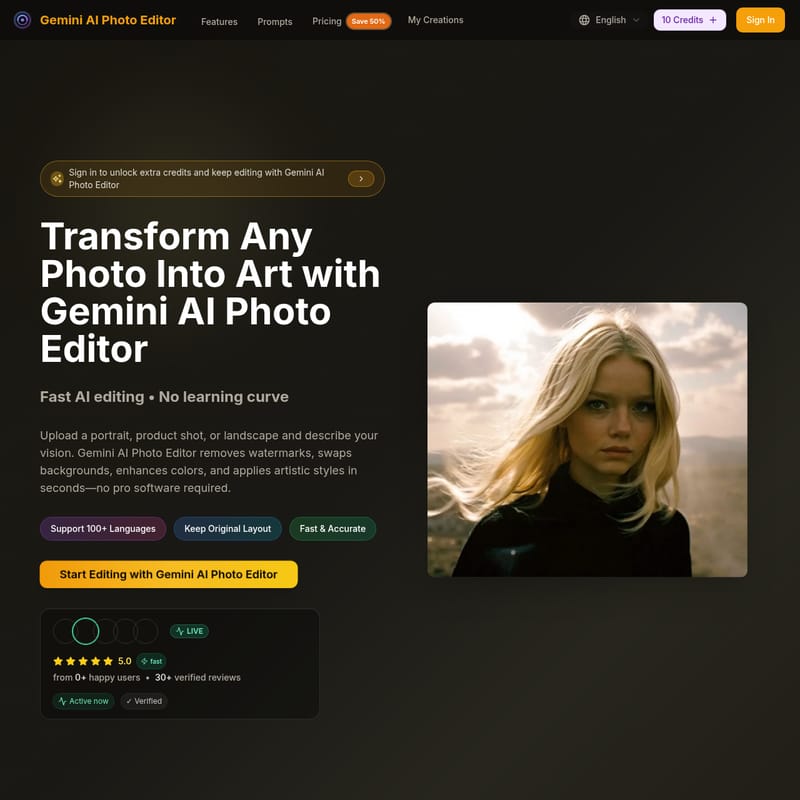
Gemini AI Photo Editor is a powerful, browser-based tool designed to transform portraits, product shots, and landscapes into professional art. Utilizing advanced Gemini models, it offers fast AI editing for watermark removal, background swapping, color enhancement, and artistic style application without a learning curve. Supporting over 100 languages and 4K resolution, it caters to creators, marketing teams, and hobbyists looking for high-quality, watermark-free results in seconds.
2026-01-12
--K
Gemini AI Photo Editor Product Information
Transform Your Visuals with Gemini AI Photo Editor
In the modern digital landscape, professional-grade imagery is essential for creators and businesses alike. Gemini AI Photo Editor emerges as a premier solution, offering a fast, browser-based studio that turns any photo into a masterpiece. By leveraging cutting-edge Gemini models, this platform simplifies complex editing tasks, allowing users to achieve stunning results without the need for professional software or extensive training.
What's Gemini AI Photo Editor?
Gemini AI Photo Editor is an intelligent image processing platform that thousands of creators rely on for retouching, watermark removal, and artful transformations. It is a secure, web-based tool that supports over 100 languages and maintains the original layout of your images while applying sophisticated edits. Whether you are working with portraits, product shots, or landscapes, the Gemini AI Photo Editor provides a seamless workflow to rebuild every pixel with stunning precision.
Key Features of Gemini AI Photo Editor
- Fast AI Editing: Most edits are finalized in under 15 seconds, ensuring your creative inspiration never stalls.
- Watermark-Free Exports: All paid plans and processed images offer professional, watermark-free results ready for delivery.
- 4K High-Resolution Output: Support for JPG, PNG, and WebP formats up to 4K resolution (max 10MB/24MB depending on the tool) ensures crisp, professional quality.
- Intelligent Image Understanding: The ai photo editor gemini workflow detects objects, fabrics, lighting, and emotion so that every edit feels natural.
- Diverse Style Transformations: Easily switch between photorealistic retouching, anime, oil painting, or abstract art styles.
- Smart Prompt Assistance: Built-in suggestions help you describe your vision clearly to avoid trial-and-error.
- Efficient Batch Processing: Ideal for teams, allowing for consistent framing and tone across entire folders of images.
Popular Use Cases
Portrait & Headshot Retouching
Using Gemini AI Photo Editor, users can smooth skin, balance lighting, and sharpen details for LinkedIn profiles, resumes, and social media avatars while preserving the character of the subject.
Background Cleanup & Object Removal
Erase distractions or switch scenes entirely. The photo editor gemini ai technology allows for effortless background swaps, creating branded canvases with natural depth.
Marketing & Social Campaigns
Generate campaign visuals that match specific typography, palettes, and lighting guides. It is perfect for producing scroll-stopping ads and UGC remixes without a full studio day.
Product Photography Refresh
E-commerce teams use Gemini AI Photo Editor to clean reflections, add natural shadows, or extend canvases for marketplaces and lookbooks.
Creative Art Transformations
Turn simple snapshots into cinematic scenes or sketches. Users can apply quality keywords like "high resolution" and "detailed" to guide the AI toward specific artistic goals.
How to Use Gemini AI Photo Editor
Using the Gemini AI Photo Editor involves a simple three-step process designed for speed and accuracy:
- Step 1: Upload Your Photo Drag and drop any photo (up to 24MB). The system optimizes the image without compression to maintain quality.
- Step 2: Describe Your Vision Enter a prompt in the text box (up to 500 characters). Explain the edit you want—such as removing a logo, adding a new background, or applying an "oil painting" style. Be specific about colors, lighting, and mood.
- Step 3: Download the Masterpiece Preview the variations generated by the Gemini AI, fine-tune the intensity, and export your high-res, 4K results.
Pricing Plans
Gemini AI Photo Editor offers transparent pricing tailored to different needs. All annual plans currently feature a 50% discount.
- Basic ($7.9/month): 12,000 credits/year, Gemini AI Image Generation, and unlimited downloads.
- Professional ($14.9/month): 48,000 credits/year, permanent image history, and commercial use license.
- Enterprise ($39.9/month): 120,000 credits/year, designed for full marketing teams and businesses.
Note: Each image generation typically costs 10 credits. New users can start with Gemini AI Photo Editor Free which includes 10 initial credits.
FAQ
1. How to use Gemini AI Photo Editor?
Simply enter your text description, choose your preferred style, and let the Gemini models generate stunning images. The tool analyzes your description to create high-quality visuals in 4K resolution within seconds.
2. What is the best free AI image editor?
Gemini AI Photo Editor is a powerful online generator with a free trial. New users receive 10 free credits to experience the future of AI image creation with Gemini models technology.
3. Do I need to be an artist to use it?
No artistic skills are required. The intuitive interface and clear text input make Gemini AI Photo Editor accessible for everyone, from beginners to professionals.
4. What formats are supported for download?
Images generated can be downloaded in high-quality formats like PNG and JPEG, suitable for both personal and commercial use.
5. Is there a mobile app available?
Currently, it is a web-based AI image generator. While there is no dedicated app, it is fully supported via mobile browsers.