Color Season AI evaluates selfies using an automated vision model to generate personalized 12-season color palettes and styling guidance.
FashionMeasures skin undertone, depth, and…Generates a 12-season color palette and…Screens photos via SeeAPI with…AI Color Season Analysisai color analysiscolor seasonal analysispersonal color analysiscolor analysis onlinecolor analysis aiai hairstyle changerai makeup
Listed on AIToolly
What Is Color Season AI? Product Overview
What the product does and how it is positioned
Discover your true colors with Color Season AI, a free online tool that uses AI technology to analyze your unique skin tone and features, providing a personalized 12-season color palette to inform your beauty and fashion choices. With a secure and instant photo upload process, you can access your customized color results without commitment, and refine your personal style with precision and ease, unlocking a more authentic and polished sense of self.
Color Season AI provides automated seasonal color analysis by examining skin tones, eye color, and hair color from a single uploaded photograph. The application leverages browser-side measurement tools alongside a vision model to calculate scores for warmth, depth, and chroma.
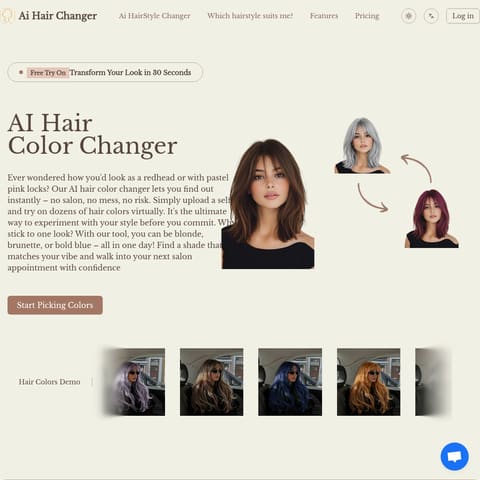
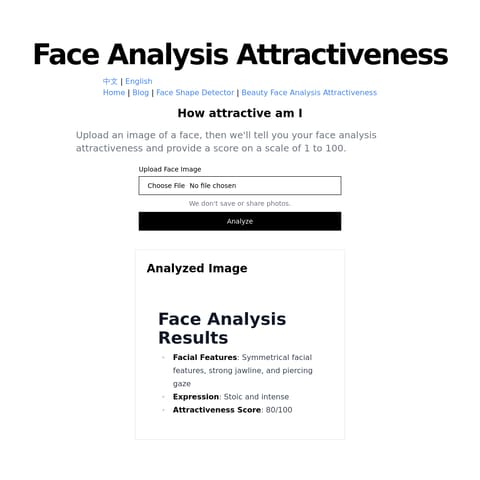
The platform supports additional features such as face shape detection, hair color changes, and makeup generation using the same uploaded image. Results deliver customized color palettes and detailed reports designed to assist users with wardrobe and beauty decisions.
What Can You Use Color Season AI For?
Source-supported ways to use the product
Wardrobe and Clothing Selection
Users apply their generated 12-season color palette to identify matching clothing colors and assemble coordinated outfits.
Beauty and Makeup Styling
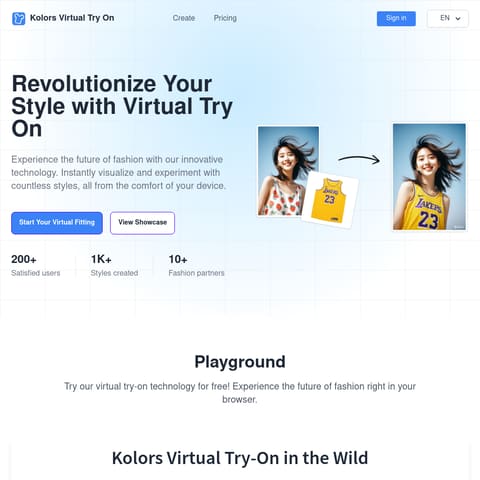
Users preview seasonal lipstick, blush, and eyeshadow shades rendered directly onto their selfie.
How to Use Color Season AI
The documented workflow, where available
1
Upload a Selfie
Upload a clear, well-lit selfie taken in natural daylight without filters or sunglasses.
2
Review Color Results
View the generated 12-season color palette, confidence score, and detailed styling recommendations.
The Analysis Pipeline
The analytical process begins locally in the browser where facial landmarks mark out areas like the cheeks, forehead, and chin to read pixel data. Selected measurements are then processed by a vision model to evaluate undertone, depth, and contrast against established color systems.
Local browser measurement using face landmarks
Vision model processing for seasonal classification
Confidence scoring based on photo clarity and lighting
Color Season AI Pricing
Human-maintained commercial information
subscriptionfreemium
USD 9.9/month
Pricing can change. Confirm the current plan and billing terms on the official site before purchasing.
What to Test Before Choosing Color Season AI
Checks to run with your own material and workflow
Verify that uploaded selfies adhere to lighting and framing guidelines to ensure optimal analysis accuracy.
Review the documented privacy policy regarding temporary photo screening and data retention practices.